
This post describes how to set-up logging dependencies in Spring. It is based on information available in a post by Dave Syer’s. A reminder on Java logging frameworks is available here. The code example is available at GitHub in the Spring-Logging-Dependencies directory.
Spring uses Jakarta Commons Logging API (JCL). Unfortunately, many people do not like its runtime discovery algorithm. We can disactivate it and use SLF4J with Logback instead. We will use a variation of the Spring MVC with Annotations example to do so.
Here is the modified controller:
import org.springframework.stereotype.Controller;
import org.springframework.ui.Model;
import org.springframework.web.bind.annotation.RequestMapping;

@Controller
public class MyController {

    private static final Logger LOG
        = LoggerFactory.getLogger(MyController.class);

    @RequestMapping(value = '/')
    public String home(Model model) {

        String s = 'Logging at: ' + System.currentTimeMillis();
        LOG.info(s);

        model.addAttribute('LogMsg', s);

        return 'index';

    }

}
We create a SFL4J logger and log some information with current time in milliseconds.
The maven dependencies are:
<properties>
    ...
    <spring.version>3.1.2.RELEASE</spring.version>
    <slf4j.version>1.7.1</slf4j.version>
    <logback.version>0.9.30</logback.version>
</properties>

<dependency>
    <groupId>org.springframework</groupId>
    <artifactId>spring-context</artifactId>
    <version>${spring.version}</version>
    <exclusions>
        <exclusion>
            <groupId>commons-logging</groupId>
            <artifactId>commons-logging</artifactId>
        </exclusion>
    </exclusions>
    <type>jar</type>
</dependency>

<dependency>
    <groupId>org.slf4j</groupId>
    <artifactId>jcl-over-slf4j</artifactId>
    <version>${slf4j.version}</version>
    <scope>runtime</scope>
</dependency>

<dependency>
    <groupId>org.slf4j</groupId>
    <artifactId>slf4j-api</artifactId>
    <version>${slf4j.version}</version>
    <type>jar</type>
</dependency>

<dependency>
    <groupId>ch.qos.logback</groupId>
    <artifactId>logback-classic</artifactId>
    <version>${logback.version}</version>
</dependency>
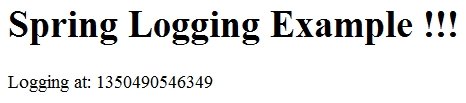
Once built, one can start the example by browsing:
http://localhost:9393/spring-logging-dependencies/. It will display the following:
In the logs, you will find the logged statement:

More Spring posts here.
Reference: Setting Logging Dependencies In Spring from our JCG partner Jerome Versrynge at the Technical Notes blog.






